What Is Sprint Planning? Setting Up the Next Two Weeks

Sprint Planning is the meeting where a Scrum team decides, together, what it's going to build over the next sprint. It's the first event of every sprint, and it sets the tone for everything after. Done well, the sprint feels calm. Done badly, the sprint feels like a series of surprises. Let me walk you through how it's supposed to work.
The two questions it answers
Scrum says planning answers two questions, and honestly everything in the meeting is in service of them:
- What can we deliver this sprint? — The team looks at the product backlog and picks the next chunk of valuable work.
- How will we get it done? — The team breaks that work into pieces and figures out the approach, at least well enough to start.
Notice who answers the "what": the Product Owner brings the priorities, but the team decides what it can actually commit to. A Product Owner can't force 50 points into a sprint and call it planning. The team owns the commitment.
Who's there, and how long does it take?
Everyone on the team: the Product Owner, the Scrum Master, and the developers. For a two-week sprint, planning is usually capped at about two hours. For a one-week sprint, maybe an hour. The framework gives you that guideline because planning is meant to be focused — not an all-day workshop.
That time cap is a feature, not a rule to break. If planning routinely runs over, it's usually a sign the backlog isn't prioritised or the stories are too big — fix those, don't just extend the meeting.
How it actually goes
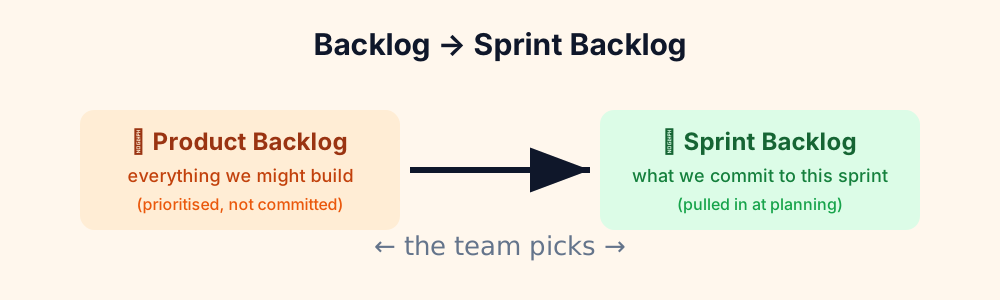
A typical session looks like this:
- The Product Owner reminds everyone of the sprint goal — the "why" of this sprint, in one sentence.
- The team looks at the top of the backlog, story by story, and checks each one is understood and estimated.
- The team uses its velocity (points completed in recent sprints) and its capacity (who's here, who's on holiday, who has other commitments) to decide how much to pull in.
- They commit to a sprint backlog, then break the big stories into tasks so Monday morning isn't a scramble.
Velocity and capacity do the heavy lifting. If the team usually completes 30 points and someone's out for two days, you plan for a bit less — not because you're being lazy, but because planning that ignores reality is just hopeful fiction.
The mistake everyone makes
Over-committing. I've done it a dozen times. The team feels good, the backlog looks clear, so we pull in "just one more story." Then a production incident eats a day, a story turns out to be bigger than its points suggested, and suddenly the sprint ends with work spilling over. And the spill-over becomes next sprint's starting problem — the sprint goal quietly slips.
Good planning is a little bit boring. It's honest about capacity, it leaves a little slack, and it commits to less than the absolute maximum. The team that plans for 85% delivers more in the long run than the team that plans for 110%.
Quick answers
Can we change the sprint plan after planning? The sprint goal is fixed; the details can flex. If something urgent comes up, the team and Product Owner can swap work — but the goal stays the anchor.
What if we finish early? Then you pull the next thing off the backlog. Planning gets the sprint started; the team manages the rest.
Is planning the same as the review or retro? No. Planning looks forward (what will we build), review looks outward (what did we build), retro looks inward (how did the process go).
Tip: For remote teams, pick a planning slot that overlaps everyone's working hours. A quick ClockHive check of your team's timezones before setting the recurring invite saves the "who's up at 6 AM" conversation.
Helping remote teams and global professionals master time zones. We build tools that make distributed work effortless.
🌍 Never miss a timezone tip
Get the latest guides on remote work, timezone management, and global team productivity.
Create Free Account